
How do I register an existing account?
Posted On 05/19/2026 | 10 min
Welcome to our new digital home! We’ve completely reimagined our website to give you a smoother experience as we work together to support children around the world.
Because this is a completely fresh upgrade, all existing users will need to take one quick extra step to re-create their accounts. Don't worry! This is not starting a brand-new account from scratch. As soon as you complete this quick registration process, all of your existing information, giving history, and cherished child letters will be right there waiting for you.
We’ve also added highly requested features: You can now seamlessly log in using your Google or Facebook accounts!
Here is your step-by-step guide to getting set up on the new platform:
Step 1: Head to the Login Page
When you visit the new homepage, look at the top right cornerof your screen and click on Login / Sign Up.
See the red arrow below for exactly where to click: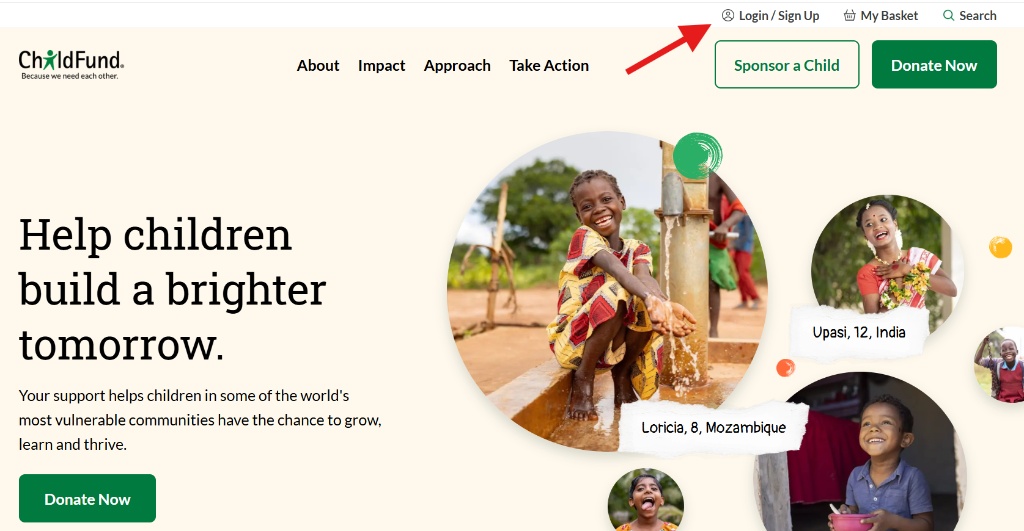
Step 2: Select "Create One"
Once you are on the Sign In page, you will see a message welcoming you to the new site. Since it is your first time here, click on the "No account? Create one" link right below the email field.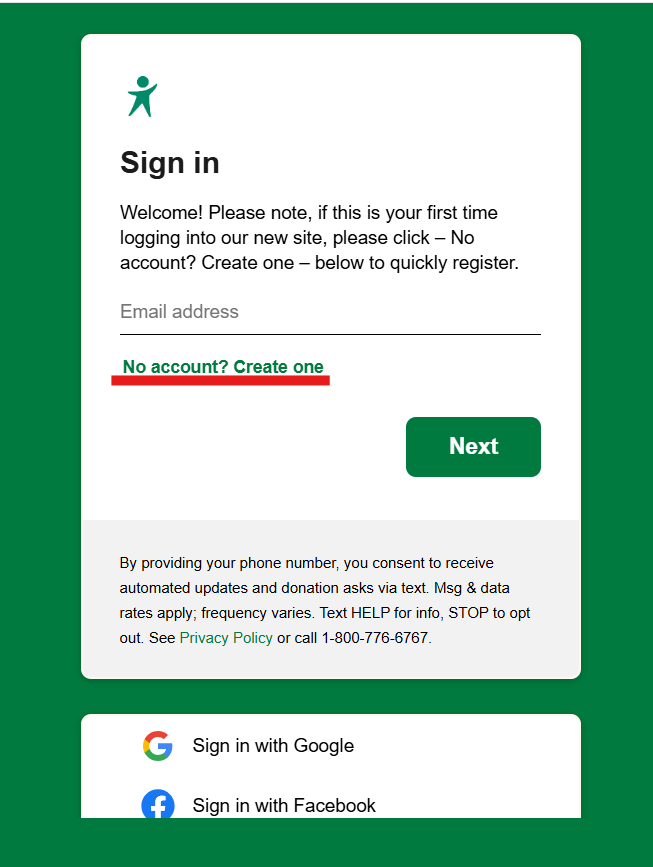
Step 3: Enter Your Email or Choose Social Login
Type in the email address associated with your account. NOTE: The email has to be the same one you used previously.
Alternatively, you can now use the ultra-convenient Sign Up with Google or Sign Up with Facebook options at the bottom if your email for those accounts matches the email you used previously.
Call support to update or confirm your email.
If using your email, click the green Next button.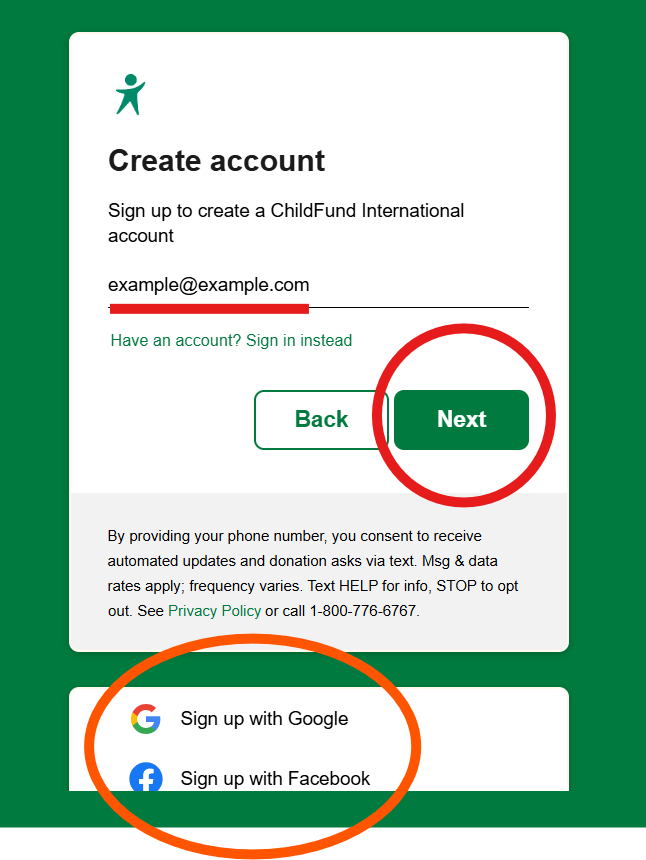
Step 4: Verify Your Security Code
To keep your data completely safe, a secure verification code will be sent immediately to your email address. Check your inbox, enter the code into the box, and click Next.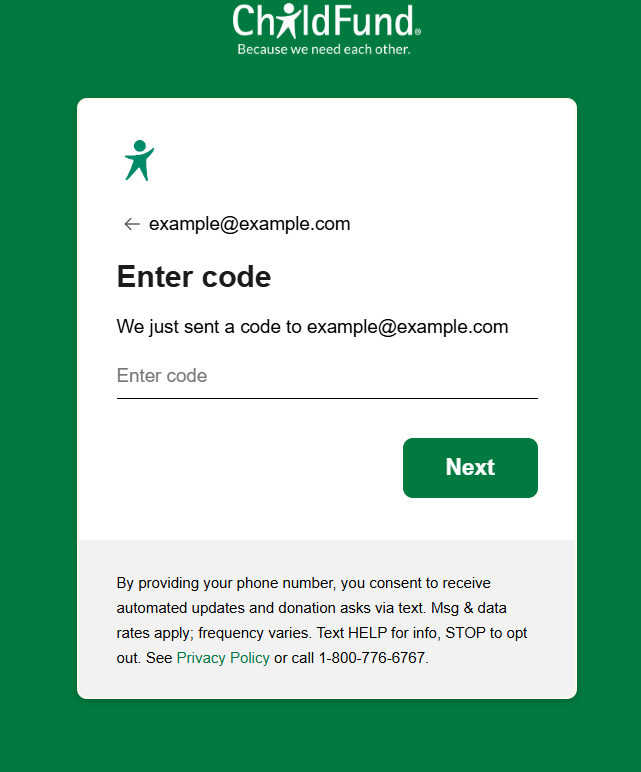
Step 5: Complete Your Registration & Explore!
After verifying your code, you will be prompted to quickly fill in your password and basic information.
Once you hit submit, the magic happens: Your account is successfully registered, your past data and child letters will automatically sync, and you are ready to explore the new site!
Thank you so much for taking this quick step with us to ensure your account remains safe, secure and ready for the future.
You're ready to go! Create your new account here.
Need a bit more help? Reach out to our Supporter Care team.